• 1. Getting started summary

Links to: Summary. Chatbot tutor. Questions. Glossary. R functions. R packages. Additional resources.
Chapter summary
More than a simple calculator, R can keep track of variables, and has functions to make plots, summarize data, and build statistical models. R also has many packages that can extend its capabilities. But getting started in R can be tricky. Developing good practices and a healthy outlook is more important to your success as a programmer than is raw intelligence and coding talent. Now that we are familiar with R, RStudio, vectors, functions, data types and packages, we are ready to build our R skills even further to work with data!
Chatbot tutor
Please interact with this custom chatbot (ChatGPT link here, Gemini link here) I have made to help you with this chapter. I suggest interacting with at least ten back-and-forths to ramp up and then stopping when you feel like you got what you needed from it.
Practice Questions

The interactive R environment below allows you to work without switching tabs.
Q2) Which logical question provides an unexpected answer?
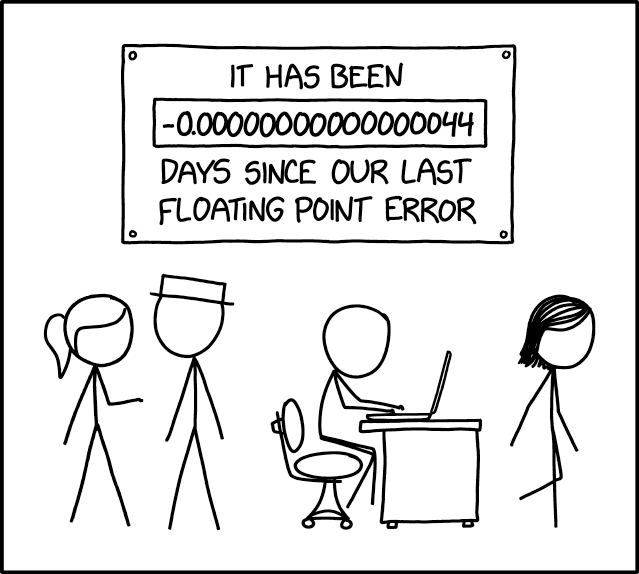
This is a floating-point precision issue. In R (and most programming languages), some decimal values cannot be represented exactly in the binary code that they use under the hood. To see this, try (0.2 + 0.1) - 0.3:
(0.2 + 0.1) - 0.3[1] 5.551115e-17If you are worried about floating point errors, use the all.equal() function instead of ==, or round to 10 decimal places before asking logical questions.
Use the data in the table below for the next question (each column is a leaf). For your convenience I have included a web-r workspace:
| length | 5.0 | 6.1 | 5.8 | 4.9 | 6.0 |
| width | 3.2 | 3.0 | 4.1 | 2.9 | 4.5 |
Q3) You collected five leaves of the wild grape (Vitis riparia) and measured their length and width. You have a table of lengths and widths of each leaf and a formula for grape leaf area (below).
The area of a grape leaf is: \[\text{leaf area } = 0.851 \times \text{ leaf length } \times \text{ leaf width}\]
The mean leaf area is
First make vectors for length and width
length = c(5, 6.1, 5.8, 4.9, 6)
width = c(3.2, 3, 4.1, 2.9, 4.5)
Then multiply these vectors by each other and 0.851.
Finally find the mean
# Create length and width vectors
length <- c(5, 6.1, 5.8, 4.9, 6)
width <- c(3.2, 3, 4.1, 2.9, 4.5)
leaf_areas <- 0.851 * length * width # find area
mean(leaf_areas) # find mean[1] 16.89916# or in one step:
(0.851 * length * width) |>
mean()[1] 16.89916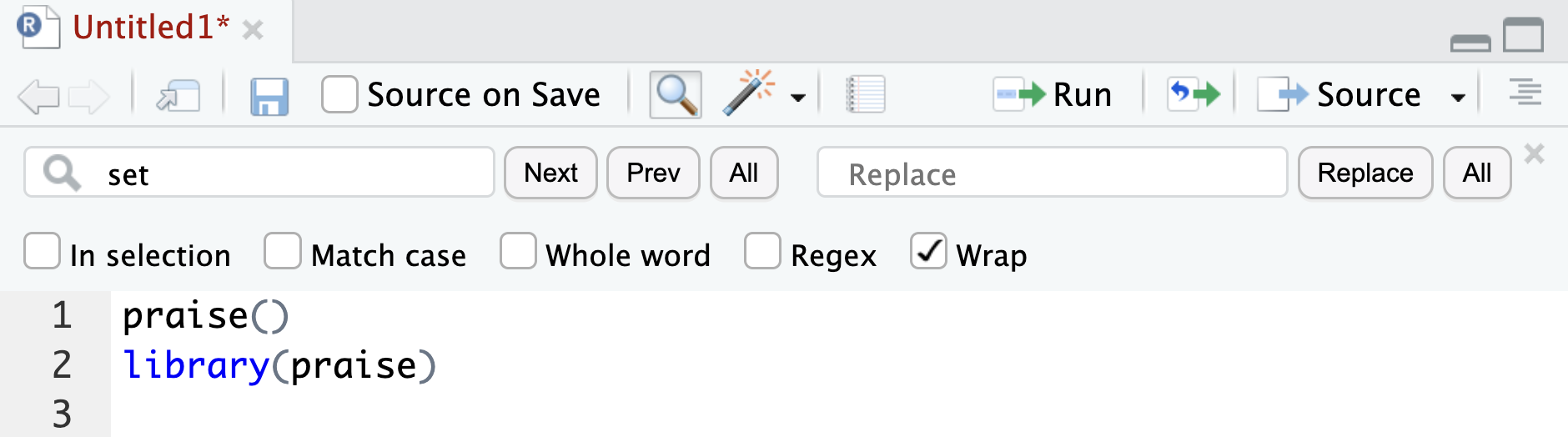
Q4) How will running the script in Figure 4 (above) make you feel?
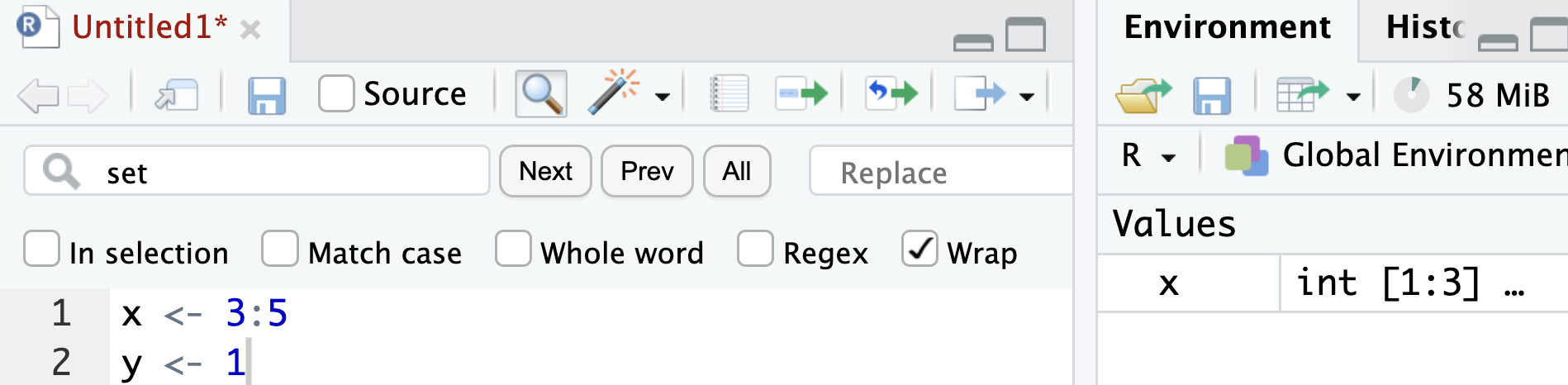
Q5) Consider the R environment in Figure 5. What will happen if you enter x^2 in the console?
Q6) Consider the R environment in Figure 5. What will happen if you enter x* y in the console?
Script A
a<-c(1,2,3)
b<-a*2
Script B
leaf_length <- c(1,2,3)
double_length <- leaf_length * 2x <- 4
class(x)
install.packages("ggplot2")library(ggplot2)
- a and d are required for your code to work, so they must be included.
- b)
class(x)checks the type of an object. This is useful while exploring or debugging, but it is not required to reproduce the analysis. Scripts should focus on the steps needed to recreate results. - c)
install.package("ggplot2")installs a package. Installing packages is a one-time setup step, not part of a reproducible workflow.
Q10) Which of the following is the best long-term strategy for improving in R?
Glossary of Terms
R: A programming language designed for statistical computing and data analysis.
RStudio: An Integrated Development Environment (IDE) that makes using R more user-friendly.
Vector: An ordered sequence of values of the same data type in R.
Assignment Operator (<-): Used to store a value in a variable.
Logical Operator: A symbol used to compare values and return TRUE or FALSE (e.g., ==, !=, >, <).
Numeric Variable: A variable that represents numbers, either as whole numbers (integers) or decimals (doubles).
Character Variable: A variable that stores text (e.g., "Clarkia xantiana").
Package: A collection of R functions and data sets that extend R’s capabilities.
New R functions
c(): Combines values into a vector.install.packages(): Installs an R package.library(): Loads an installed R package for use.log(): Computes the logarithm of a number, with an optional base.mean(): Calculates the average (mean) of a numeric vector.
R Packages Introduced
base: The core R package that provides fundamental functions likec(),log(),sqrt(), andround().conflicted: Helps resolve function name conflicts when multiple packages have functions with the same name.praise: Provides encouragement and kind words.
Additional resources
These optional resources reinforce or go beyond what we have learned.
R Recipes:
Videos:
- Coding your Data Analysis for Success (From Stat454).
- Why use R? (Yaniv Talking).
- Accessing R and RStudio (Yaniv Talking).
- RStudio orientation (Yaniv Talking).
- R functions (Yaniv Talking).
- R packages (Yaniv Talking).
- Data types (Yaniv Talking). Uses compensation data as an example.