• 6. Association Summary: I

Links to: Summary. Chatbot tutor. Questions. Glossary. R functions. R packages. More resources.

Chapter Summary

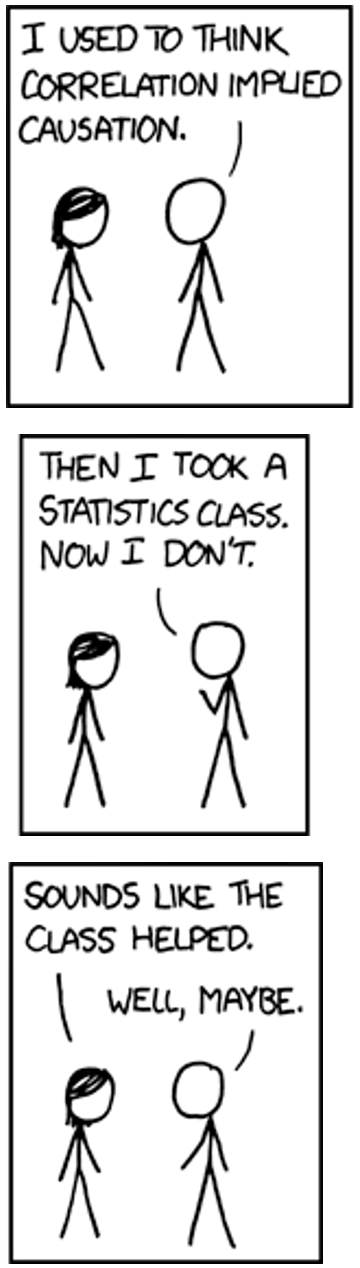
Correlation doesn't imply causation, but it does waggle its eyebrows suggestively and gesture furtively while mouthing *look over there*.

A cartoon on correlation from xkcd. The original rollover text says: “Correlation doesn’t imply causation, but it does waggle its eyebrows suggestively and gesture furtively while mouthing look over there”. See this link for a more detailed explanation.

Associations reveal how variables relate to one another - e.g. if they tend to increase together, differ across groups, or cluster. Differences in conditional means (or proportions) describe how a numeric (or categorical) response variable varies across levels of a categorical explanatory variable. While these summaries can highlight patterns, interpretation requires care: strong associations don’t necessarily imply causation, and predictions may not hold across contexts or datasets.

Alternative formats: 🎥 Watch  ·  🎧 Listen

Chatbot tutor

Please interact with this custom chatbot (For ChatGPT, or Gemini) I have made to help you with this chapter. I suggest interacting with at least ten back-and-forths to ramp up and then stopping when you feel like you got what you needed from it.

Practice Questions

Try these questions! By using the R environment you can work without leaving this “book”. To help you jump right into thinking and analysis, I have formatted the titanic data and subset it to only be adult males in “1st” class, or “Crew”. I now call it titanic_males. If you’re curious to see what I did, expand the code below.

Code for data formating
library(dplyr)
library(tidyr)
titanic_males <- Titanic[,"Male","Adult",]     |>
    data.frame()                               |>
    mutate(Class = as.character(Class))        |>
    dplyr::filter(Class %in% c("1st","Crew"))  |>
     uncount(weights = Freq)                

Visualizing associations: Consider the code above. There are three good options for “XXX” in position = "XXX":

  • “dodge”.
  • “fill”
  • “stack” (the default).

Replace “XXX”, with each of these options, and then answer the following three questions.

Q1) Which makes it easiest to read-off the number of males in 1st class? .

Q2) Which makes it easiest to read off the number of males in the crew that did not survive? .

Q3) Which makes it easiest to compare survival probabilities of males in first class vs. the crew? .


Use the web R environment above to answer the following questions about the titanic_males data set

Q4) In the titanic_males dataset (adult males in “1st” class or the “Crew”), what proportion:

  • Q4a) Were “1st” class?

  • Q4b) Survived?

  • Q4c) Were “1st” class AND survived?

  • Q4d) Survived, conditional on being in 1st class (i.e. the proportion of first-class males who survived), (i.e. P(Survive | 1st))?

  • Q4e) Survived, conditional on being in crew class (i.e. the proportion of males in the crew who survived), (i.e. P(Survive | Crew))?

titanic_males  |>
  summarise(prop_1st = mean(Class == "1st"))
  prop_1st
1 0.168756
titanic_males  |>
  summarise(prop_survived = mean(Survived == "Yes"))
  prop_survived
1     0.2401157
titanic_males  |>
 summarise(mean(Survived == "Yes" & Class == "1st"))
  mean(Survived == "Yes" & Class == "1st")
1                               0.05496625
titanic_males                                     |>
  group_by(Class)                                 |>
  summarise(p_survived = mean(Survived == "Yes"))
# A tibble: 2 × 2
  Class p_survived
  <chr>      <dbl>
1 1st        0.326
2 Crew       0.223

Q5) What do you conclude from the answers above?
Code
library(readr)
ril_link <- "https://raw.githubusercontent.com/ybrandvain/datasets/refs/heads/master/clarkia_rils.csv"
ril_data <- readr::read_csv(ril_link) 
gc_rils2 <- readr::read_csv(ril_link) |>
    rename(visits = mean_visits)|>
    mutate(visited = ifelse(visits > 0,"some_visits","no_visits")) |>
    dplyr::filter(location == "GC", !is.na(prop_hybrid), ! is.na(visits),!is.na(petal_color),!is.na(petal_area_mm))|>
    select(anther_stigma_distance = asd_mm , visited)

The set of questions below focuses on comparing the association between pollinator visitation (no_visits vs some_visits) to the association between petal color and proportion hybrid seed. Use the webR console above to work through these!

Q6) The difference in mean anther stigma distance conditional on being visited (some_visits - no_visits) is: .

Q7) According to traditional interpretations of Cohen’s D, this “effect” is:

Q8)From these analyses we conclude (pick best):


# plot 1
ggplot(gc_rils2,  aes(x = visited, y = anther_stigma_distance))+
    geom_jitter(width = .2, height = 0)+
    stat_summary(geom="line", aes(group =1))

# plot 2
ggplot(gc_rils2,  aes(anther_stigma_distance))+
    geom_histogram()+
    facet_wrap(~visited)

# plot 3
ggplot(gc_rils2,  aes(anther_stigma_distance, fill = visited))+
    geom_density(alpha = .4)

# plot 4
ggplot(gc_rils2,  aes(y=anther_stigma_distance, x = visited))+
    geom_boxplot()+
    geom_jitter(height = 0, width = .2)

# plot 5    
ggplot(gc_rils2,  aes(y=anther_stigma_distance, x = visited))+
    geom_jitter(width = 1)    

Q9) Which plot above is the worst?

📊 Glossary of Terms

  • Conditional Proportion: The proportion of a category (e.g., visited flowers) within levels of another variable (e.g., pink or white petals).
    • Written as \(P(A|B)\), the probability of A given B.
  • Conditional Mean: The average of a numeric variable within each group of a categorical variable.
  • Difference in Means: A common summary of how a numeric variable differs across groups.
  • Cohen’s D: Standardized difference between two group means.
    \(D = \frac{\bar{X}_1 - \bar{X}_2}{s_{pooled}}\)
  • Confounding Variable: A third variable that creates a false appearance of association between two others.

Key R Functions

📊 Visualizing Associations


📈 Summarizing Associations Between Variables

  • group_by() ([dplyr]): Groups data for grouped summaries like conditional proportions or means.
  • summarise() ([dplyr]): Summarizes multiple rows into a single value, e.g., a mean, covariance, or correlation.
  • mean() ([base R]): Computes means (or proportions). In this chapter we combine this with group_by() to find conditional means (or conditional proportions).

We often combine these below with the following chain of operations.
data|>group_by()|>summarize(mean()).
Judging the Strength of Associations

  • cohens_d() from the effectsize package. Computes Cohen’s D.
    • Example syntax: cohens_d(y ~ x, data = my_data ).

R Packages Introduced

effectsize: Calculates standard measures of effect size, including Cohen’s D.

Additional resources

Videos: